
Download Eden AI – Advanced Speech Recognition & Text‑to‑Speech Tool
Overview
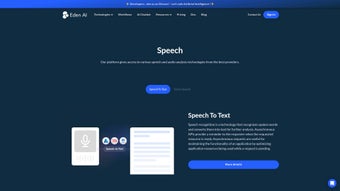
Eden AI is a cloud‑native platform that brings together cutting‑edge speech recognition and synthesis technologies under a single, easy‑to‑use web interface. Whether you need to transcribe conference calls, build voice‑enabled chatbots, or generate natural‑sounding audio for e‑learning, Eden AI’s Speech tool delivers both speech‑to‑text (STT) and text‑to‑speech (TTS) capabilities through a clean asynchronous API. The service is built for developers, product managers, and even non‑technical users, offering a flexible integration model that can fit into any tech stack—from Node.js micro‑services to low‑code workflow automations.
By abstracting the complexity of multiple speech providers, Eden AI lets you focus on the user experience while still benefiting from high‑quality, multi‑language models. Its asynchronous design ensures efficient resource usage, making it a cost‑effective choice for high‑volume applications like voicemail processing, live captioning, and multilingual voice assistants. The platform also supports custom voice selection, allowing you to tailor the sound of your TTS output to match brand identity or user preferences, though the exact voice catalog is managed behind the scenes.
In short, Eden AI provides a robust, secure, and scalable solution for anyone looking to embed speech capabilities into modern software products.
Key Features & Capabilities
- Dual‑Mode Functionality: Seamlessly switch between speech‑to‑text and text‑to‑speech within the same API endpoint.
- Asynchronous Processing: Non‑blocking calls reduce latency and improve throughput for large audio files.
- Multi‑Language Support: Recognizes and synthesizes dozens of languages and dialects, ideal for global products.
- Custom Voice Options: Choose from a curated set of synthetic voices or upload proprietary voice models (when available).
- Developer‑Friendly SDKs: Official libraries for JavaScript, Python, and Java accelerate integration.
- Scalable Cloud Infrastructure: Auto‑scaling back‑end ensures reliable performance under variable loads.
- Secure Data Handling: End‑to‑end encryption and GDPR‑compliant storage protect sensitive audio data.
- Comprehensive Documentation: Detailed API reference, code samples, and quick‑start guides for rapid onboarding.
- Usage Analytics Dashboard: Real‑time metrics on request volume, latency, and transcription accuracy.
- Flexible Pricing Model: Pay‑as‑you‑go tiers with a free tier for low‑volume testing.
Beyond the feature list, Eden AI shines in real‑world scenarios. For instance, a customer support platform can automatically transcribe incoming calls, route tickets based on detected intent, and reply with personalized voice messages generated on the fly. Similarly, educational apps can convert lesson scripts into natural‑sounding narration, improving accessibility for visually impaired learners. The platform’s abstraction layer means you are not locked into a single provider; Eden AI dynamically selects the best underlying engine based on language, accent, and cost, delivering consistent quality without the need to manage multiple contracts. This flexibility is especially valuable for enterprises that need to balance performance with budget constraints.
Installation, Usage & Compatibility
Getting Started in Minutes
Since Eden AI is a web‑based SaaS solution, there is no traditional installation required on the client side. To begin, simply sign up for a free account, generate an API key from the dashboard, and you’re ready to make your first request. For developers who prefer a local testing environment, Eden AI provides a lightweight CLI tool that can be installed via npm:
npm install -g edenai-cli
edenai login --api-key YOUR_API_KEY
edenai speech transcribe --file ./audio.wav --language en-US
API Workflow
The core workflow follows a classic request‑response pattern. For transcription, you POST an audio file (or a publicly reachable URL) to https://api.edenai.co/v1/speech/to-text with your API key in the header. The service returns a JSON payload containing the transcribed text, confidence scores, and timestamps. For synthesis, you POST a JSON body with the desired text, language, and optional voice identifier to https://api.edenai.co/v1/speech/to-speech. The response includes a downloadable audio file (MP3 or WAV) and metadata about the synthesis process.
Compatibility
Eden AI’s APIs are platform‑agnostic, meaning they work on any operating system that can make HTTPS requests. Whether you’re building a Windows desktop application, a macOS automation script, an Android mobile app, or an iOS voice assistant, the same endpoints apply. Official SDKs are available for:
- Windows (C#/.NET)
- macOS (Swift)
- Linux (Python, Node.js)
- Android (Kotlin/Java)
- iOS (Swift)
Because the service is cloud‑hosted, you benefit from continuous updates and improvements without having to patch local libraries. Security patches, model upgrades, and new language additions are rolled out automatically, ensuring your application always runs on the latest, most accurate speech engine.
Pros, Cons & Frequently Asked Questions
Pros
- Unified API for both STT and TTS reduces integration complexity.
- Asynchronous design maximizes throughput for large audio batches.
- Broad language and voice support enables global product reach.
- Secure, GDPR‑compliant handling of user data builds trust.
- Transparent pricing with a generous free tier for experimentation.
Cons
- Custom voice creation is limited to enterprise plans.
- Real‑time streaming transcription requires additional configuration.
- Pricing can become significant at very high volume without a negotiated contract.
FAQ
How secure is the audio data I upload?
Eden AI encrypts all data in transit using TLS 1.3 and stores audio files at rest with AES‑256 encryption. The platform complies with GDPR and offers data‑retention policies that let you purge recordings after processing.
Can I use Eden AI for real‑time voice assistants?
Yes. While the standard API is request‑response, Eden AI provides a streaming endpoint that delivers low‑latency transcription suitable for live voice assistants and interactive applications.
What languages are supported for text‑to‑speech?
Eden AI supports over 30 languages, including English, Spanish, Mandarin, Hindi, Arabic, and many regional dialects. Voice options vary by language, with both male and female synthetic voices available.
Is there a limit to the length of audio files I can transcribe?
The platform accepts files up to 2 GB per request. For longer recordings, you can split the audio into smaller chunks and process them sequentially or in parallel using the asynchronous API.
How do I monitor usage and cost?
The Eden AI dashboard provides real‑time analytics on request volume, token usage, and incurred costs. You can also set up webhook alerts for budget thresholds or integrate with popular monitoring tools via the API.
Conclusion & Call to Action
Overall, Eden AI delivers a compelling blend of accuracy, flexibility, and developer‑centric design that makes it a top choice for speech‑enabled applications. Its dual STT/TTS offering, combined with asynchronous processing and a robust security posture, addresses the core needs of modern enterprises and startups alike. While the lack of fully custom voice creation on lower tiers may be a drawback for highly brand‑specific use cases, the extensive catalog of high‑quality synthetic voices compensates for most scenarios. Pricing remains transparent, and the free tier provides enough credits to prototype and validate ideas before committing to a paid plan.
If you’re looking to add reliable transcription, voice commands, or lifelike narration to your product, download Eden AI today and start experimenting with its API. The quick sign‑up process, comprehensive documentation, and supportive community ensure you’ll be up and running within minutes. Take advantage of the free tier, test the multilingual capabilities, and see how Eden AI can streamline your voice workflow while keeping data secure and costs predictable.



.png)



